
What this issue means
LCP is usually about the moment a visitor finally sees the main content: a hero image, headline block, product image or large content area.
Understand why the largest visible content appears late and what to inspect before changing code.
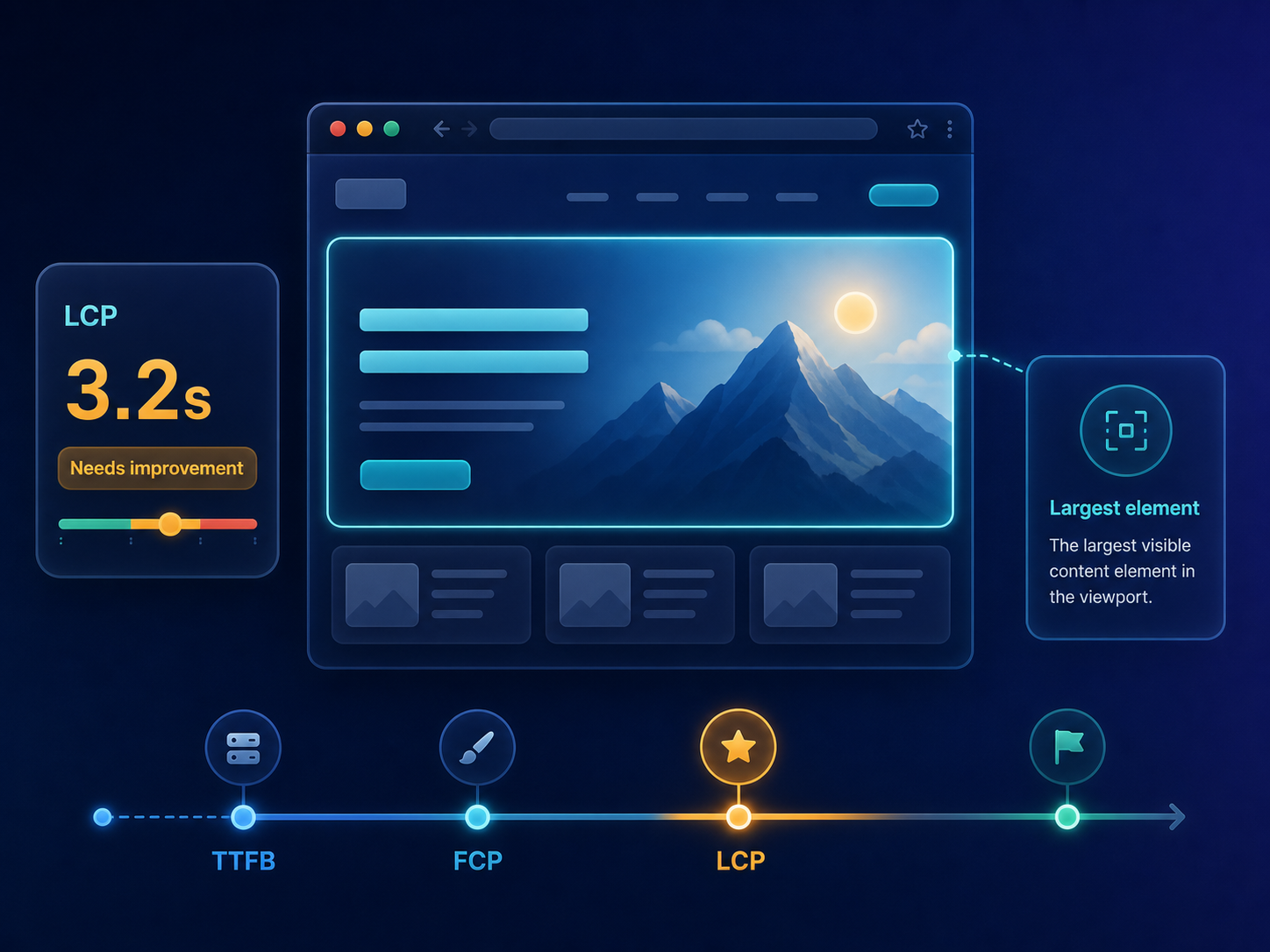
Short answer
Largest Contentful Paint measures when the largest visible content element appears in the viewport. Poor LCP often points to slow server response, blocking resources, unoptimized hero images, delayed fonts or heavy client-side rendering. ViewMend helps connect the LCP signal to screenshots, audit evidence and related priority findings.
Why this matters
A page can start loading but still feel unfinished if the main content is delayed. LCP is useful because it focuses attention on the most visible loading milestone, though improving it does not guarantee search rankings.
LCP is usually about the moment a visitor finally sees the main content: a hero image, headline block, product image or large content area.
Run a public page check, review the evidence, see whether the issue is prioritized, and use ViewMend AI only when you need an explanation, developer task or AI Fix Plan.
Run a fresh check after the fix and compare the LCP value, screenshot timing and related render-blocking findings.
Common causes
What to check first
How to fix it
How to verify the fix
Run a fresh check after the fix and compare the LCP value, screenshot timing and related render-blocking findings.
How it works
Product workflow
ViewMend helps you inspect a real public page, compare mobile and desktop evidence, and decide whether AI output is worth spending credits on.
Developer task example
Optimize the main hero image and reduce render-blocking resources so the largest visible content appears sooner on mobile and desktop.
| Problem | LCP is usually about the moment a visitor finally sees the main content: a hero image, headline block, product image or large content area. |
|---|---|
| Suggested fix | Optimize the main hero image and reduce render-blocking resources so the largest visible content appears sooner on mobile and desktop. |
| Acceptance criteria | The next lab retest shows improvement for the affected metric, no critical mobile or desktop behavior is broken, and the page still renders correctly. |
| Retest step | Run a fresh check after the fix and compare the LCP value, screenshot timing and related render-blocking findings. |
Fix priorities
| What to inspect | Why it matters | Next action |
|---|---|---|
| Hero image | A large above-the-fold image is often the LCP element. | Compress it, serve responsive sizes and preload only when it is truly critical. |
| Server response | Slow HTML delays every later rendering step. | Check hosting, caching, CDN and backend response time. |
| Render-blocking assets | CSS and JS can delay first paint and the LCP element. | Prioritize critical CSS and defer non-critical scripts. |
FAQ
A commonly used target is 2.5 seconds or faster in Core Web Vitals guidance, but always review the surrounding evidence and device context.
Large images, slow server response, blocking CSS or JavaScript, font delays and client-side rendering are common causes.
Yes. If the largest visible element is an image, its size, format, delivery and priority can strongly affect LCP.
ViewMend keeps scores, screenshots, lab metrics and audit evidence together so you can see what to check first.
No. LCP can affect user experience, but rankings depend on many factors and no tool can guarantee ranking gains.