
What this issue means
TBT points to work that keeps the browser busy when it should be able to paint and respond. It is especially useful for finding heavy JavaScript during load.
Find JavaScript and main-thread work that can make a page slow to respond during loading.
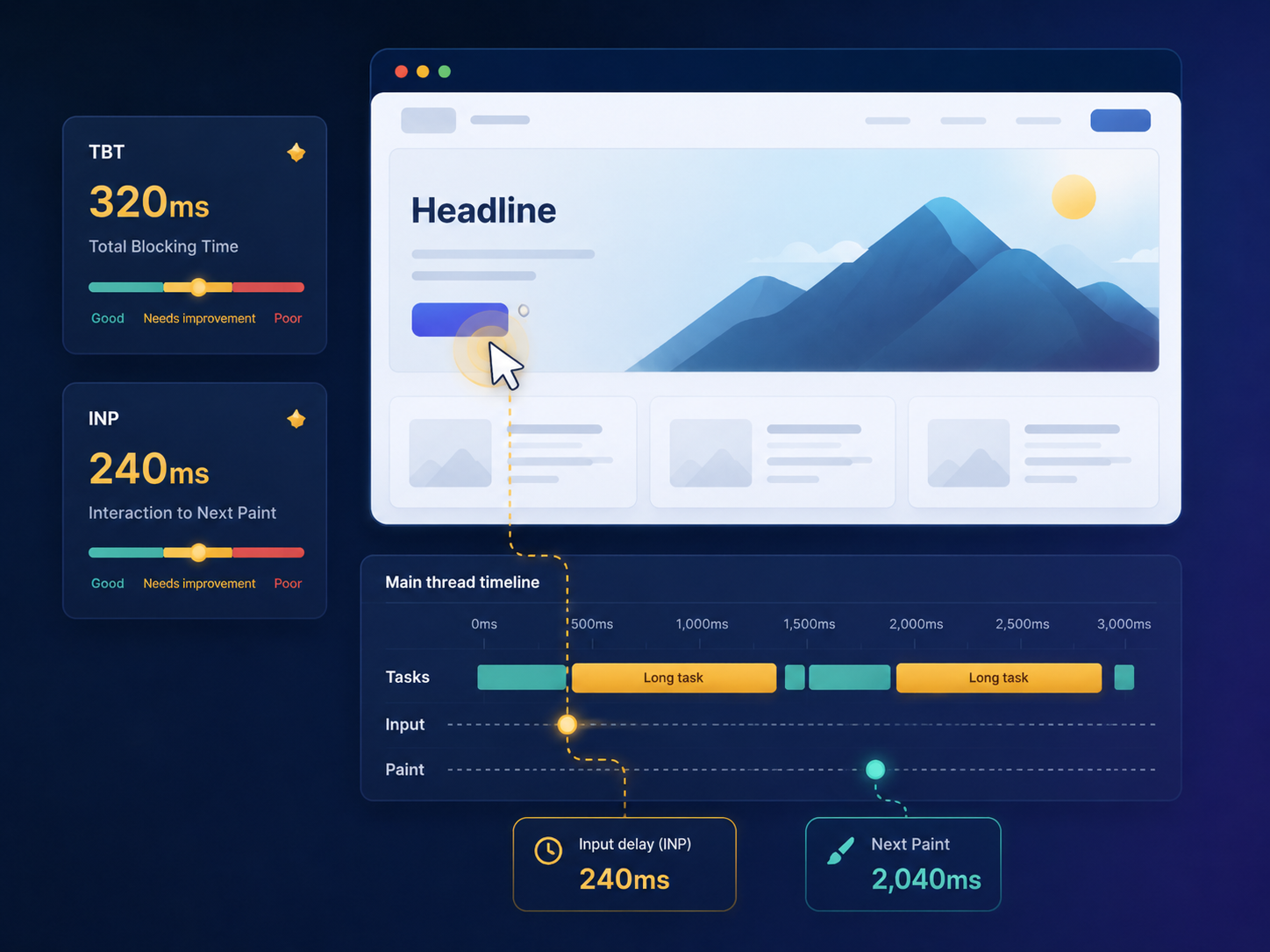
Short answer
Total Blocking Time is a lab metric that shows how much long main-thread work blocks the browser during page load. INP is a Core Web Vitals responsiveness metric and is not the same as TBT, but high TBT can help reveal JavaScript and main-thread problems that may affect responsiveness.
Why this matters
Even if content appears, users can experience delay when scripts monopolize the browser. Reducing blocking work can improve perceived responsiveness.
TBT points to work that keeps the browser busy when it should be able to paint and respond. It is especially useful for finding heavy JavaScript during load.
Run a public page check, review the evidence, see whether the issue is prioritized, and use ViewMend AI only when you need an explanation, developer task or AI Fix Plan.
Run a new lab check after JavaScript changes and compare TBT, long-task evidence and related third-party findings.
Common causes
What to check first
How to fix it
How to verify the fix
Run a new lab check after JavaScript changes and compare TBT, long-task evidence and related third-party findings.
How it works
Product workflow
ViewMend helps you inspect a real public page, compare mobile and desktop evidence, and decide whether AI output is worth spending credits on.
Developer task example
Split JavaScript bundles and reduce long main-thread tasks so the browser can respond faster during page load.
| Problem | TBT points to work that keeps the browser busy when it should be able to paint and respond. It is especially useful for finding heavy JavaScript during load. |
|---|---|
| Suggested fix | Split JavaScript bundles and reduce long main-thread tasks so the browser can respond faster during page load. |
| Acceptance criteria | The next lab retest shows improvement for the affected metric, no critical mobile or desktop behavior is broken, and the page still renders correctly. |
| Retest step | Run a new lab check after JavaScript changes and compare TBT, long-task evidence and related third-party findings. |
Fix priorities
| What to inspect | Why it matters | Next action |
|---|---|---|
| Long tasks | They block the main thread and delay response. | Break work into smaller chunks and defer non-critical logic. |
| Unused JavaScript | Code still costs download, parse and compile time. | Remove, split or lazy load unused bundles. |
| Third-party scripts | External tags can compete for the main thread. | Delay, remove or load after consent or interaction. |
FAQ
No. TBT is a lab metric about blocking during load. INP is a responsiveness Core Web Vitals metric based on interactions.
Heavy JavaScript, hydration, long tasks and expensive third-party code are common causes.
JavaScript runs on the main thread and can prevent the browser from responding quickly.
Not blindly. Audit value and cost, then delay or remove scripts that are not critical.
Yes, ViewMend AI can create a developer-ready task when you explicitly request it.