
What this issue means
The issue means the browser is waiting on CSS or JavaScript before it can show meaningful content.
Understand which CSS and JavaScript can delay first paint and LCP, and what to optimize first.
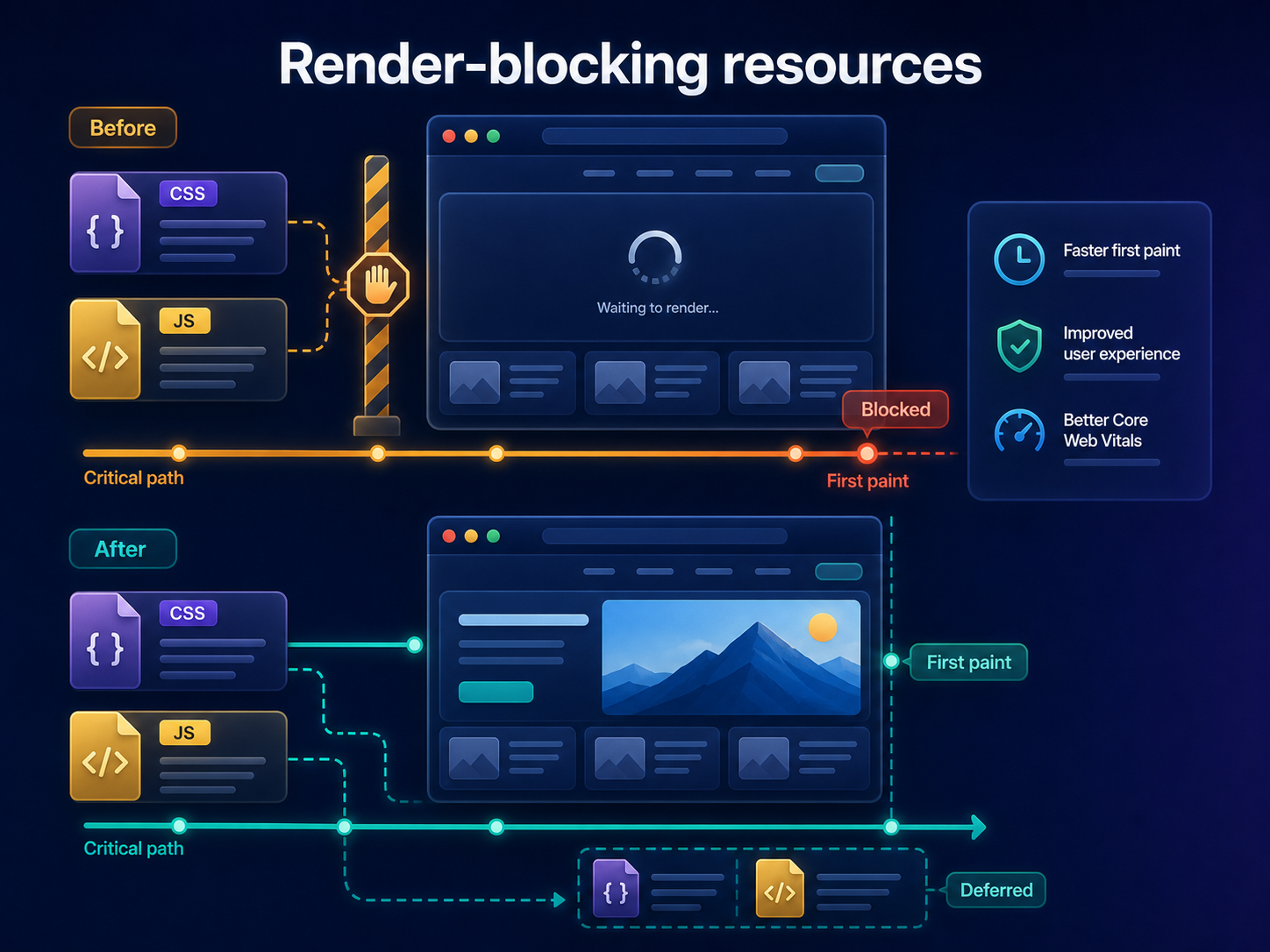
Short answer
Render-blocking resources are files the browser must process before it can render important content. Not all blocking CSS is bad, but non-critical CSS and JavaScript should not delay the first useful paint. ViewMend helps connect these findings to LCP and loading evidence.
Why this matters
When critical rendering waits on too many files, users may see a blank or incomplete page for longer.
The issue means the browser is waiting on CSS or JavaScript before it can show meaningful content.
Run a public page check, review the evidence, see whether the issue is prioritized, and use ViewMend AI only when you need an explanation, developer task or AI Fix Plan.
After changes, compare first paint, LCP and render-blocking findings. Avoid removing CSS blindly if it breaks layout.
Common causes
What to check first
How to fix it
How to verify the fix
After changes, compare first paint, LCP and render-blocking findings. Avoid removing CSS blindly if it breaks layout.
How it works
Product workflow
ViewMend helps you inspect a real public page, compare mobile and desktop evidence, and decide whether AI output is worth spending credits on.
Developer task example
Identify critical CSS, defer non-critical JavaScript, and remove unused global assets that delay first paint and LCP.
| Problem | The issue means the browser is waiting on CSS or JavaScript before it can show meaningful content. |
|---|---|
| Suggested fix | Identify critical CSS, defer non-critical JavaScript, and remove unused global assets that delay first paint and LCP. |
| Acceptance criteria | The next lab retest shows improvement for the affected metric, no critical mobile or desktop behavior is broken, and the page still renders correctly. |
| Retest step | After changes, compare first paint, LCP and render-blocking findings. Avoid removing CSS blindly if it breaks layout. |
Fix priorities
| What to inspect | Why it matters | Next action |
|---|---|---|
| Critical CSS | Some CSS is required for correct initial rendering. | Keep it small and prioritize it. |
| Non-critical JavaScript | Early scripts can delay rendering without helping the first view. | Defer or load after interaction. |
| Third-party blockers | External files may delay your own content. | Audit necessity and loading priority. |
FAQ
They are CSS or JavaScript files that the browser must process before rendering visible content.
No. Critical CSS is needed. The goal is to reduce unnecessary blocking work.
Use defer or load scripts after the first view, interaction or consent when appropriate.
Font stylesheets and font loading strategy can affect rendering and text visibility.
Retest and compare paint timing, LCP and the list of blocking resources.