
What this issue means
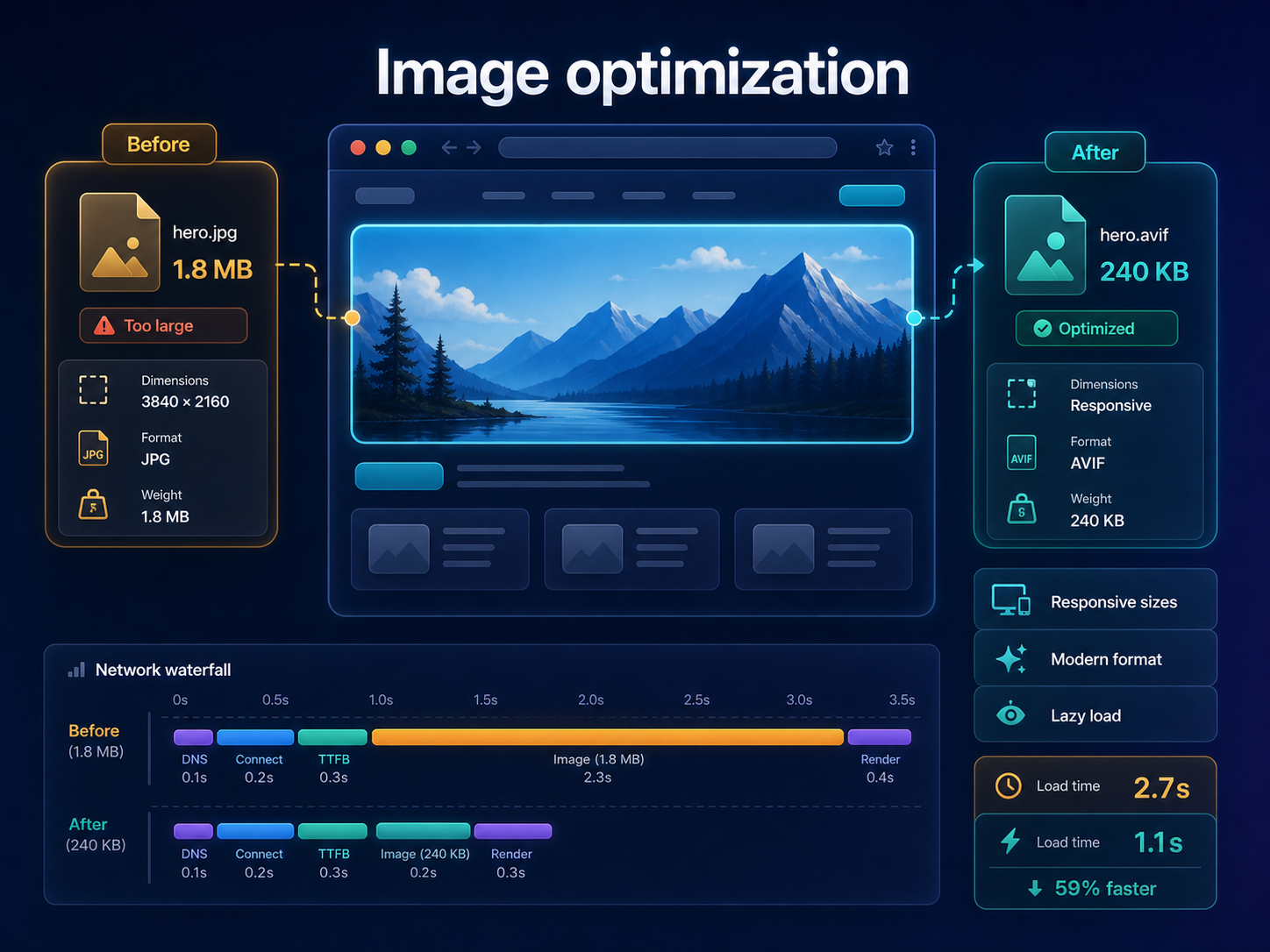
The page may be sending images that are too large, poorly compressed, incorrectly sized or loaded at the wrong priority.
Improve image delivery for hero content, responsive layouts and mobile performance without hiding important visuals.
Short answer
Images can strongly affect LCP, bandwidth and mobile loading. The first image to inspect is usually the hero or largest above-the-fold visual, while below-the-fold images should often be lazy loaded. ViewMend helps connect image issues to screenshots, LCP and priority findings.
Why this matters
A single oversized hero image can delay the main content, especially on mobile connections.
The page may be sending images that are too large, poorly compressed, incorrectly sized or loaded at the wrong priority.
Run a public page check, review the evidence, see whether the issue is prioritized, and use ViewMend AI only when you need an explanation, developer task or AI Fix Plan.
Run a new report and compare image findings, LCP timing and screenshots. Also check visual quality after compression.
Common causes
What to check first
How to fix it
How to verify the fix
Run a new report and compare image findings, LCP timing and screenshots. Also check visual quality after compression.
How it works
Product workflow
ViewMend helps you inspect a real public page, compare mobile and desktop evidence, and decide whether AI output is worth spending credits on.
Developer task example
Optimize the hero image, add responsive srcset sizes, define dimensions and lazy load below-the-fold images.
| Problem | The page may be sending images that are too large, poorly compressed, incorrectly sized or loaded at the wrong priority. |
|---|---|
| Suggested fix | Optimize the hero image, add responsive srcset sizes, define dimensions and lazy load below-the-fold images. |
| Acceptance criteria | The next lab retest shows improvement for the affected metric, no critical mobile or desktop behavior is broken, and the page still renders correctly. |
| Retest step | Run a new report and compare image findings, LCP timing and screenshots. Also check visual quality after compression. |
Fix priorities
| What to inspect | Why it matters | Next action |
|---|---|---|
| Hero image | It may be the LCP element. | Resize, compress, use modern format and set correct priority. |
| Responsive images | Mobile users should not download desktop-sized images. | Use srcset and sizes. |
| Below-the-fold media | Non-visible images can compete with critical content. | Lazy load them. |
FAQ
Yes. A hero image is often the largest visible content element.
Usually no if it is above the fold and critical to LCP.
WebP or AVIF can help, but the best choice depends on image type, quality and browser support.
Yes. Dimensions help reserve layout space and can reduce layout shifts.
ViewMend connects image findings to screenshots, LCP and priority recommendations.