
What this issue means
The page loads CSS rules that are not used by the current content, layout or components.
Reduce stylesheet weight and rendering cost without breaking the page design.
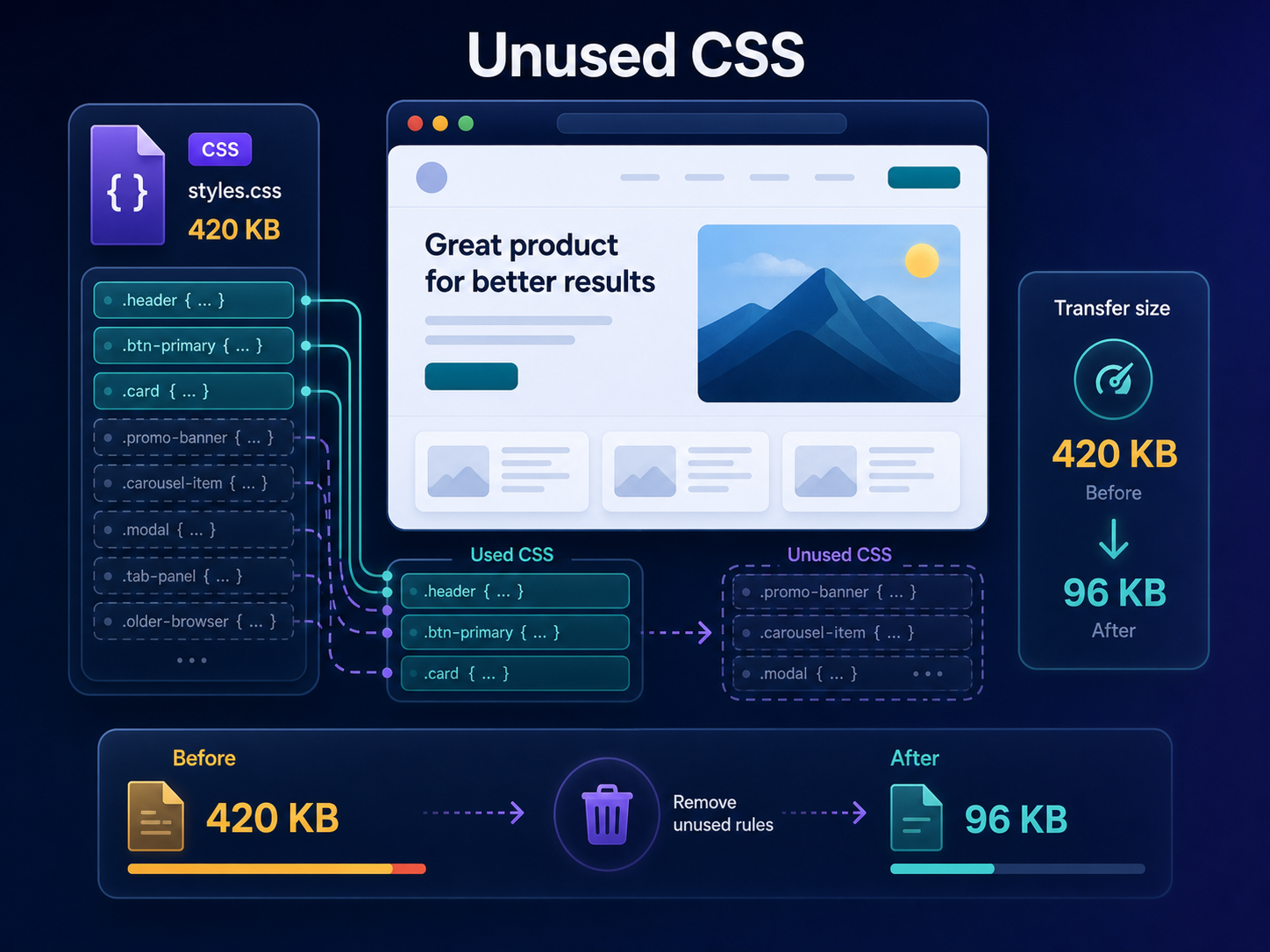
Short answer
Unused CSS is stylesheet code that is delivered to a page but not needed for the current view. It can increase download size and contribute to render-blocking work. ViewMend helps identify the issue while keeping the fix tied to visible page evidence.
Why this matters
CSS is render-critical, so large global stylesheets can slow visible progress even when most rules are not used.
The page loads CSS rules that are not used by the current content, layout or components.
Run a public page check, review the evidence, see whether the issue is prioritized, and use ViewMend AI only when you need an explanation, developer task or AI Fix Plan.
After reducing CSS, run a new report and manually review layout states so optimization does not remove needed styles.
Common causes
What to check first
How to fix it
How to verify the fix
After reducing CSS, run a new report and manually review layout states so optimization does not remove needed styles.
How it works
Product workflow
ViewMend helps you inspect a real public page, compare mobile and desktop evidence, and decide whether AI output is worth spending credits on.
Developer task example
Audit global stylesheets, remove unused CSS safely and split page-specific styles without breaking dynamic states.
| Problem | The page loads CSS rules that are not used by the current content, layout or components. |
|---|---|
| Suggested fix | Audit global stylesheets, remove unused CSS safely and split page-specific styles without breaking dynamic states. |
| Acceptance criteria | The next lab retest shows improvement for the affected metric, no critical mobile or desktop behavior is broken, and the page still renders correctly. |
| Retest step | After reducing CSS, run a new report and manually review layout states so optimization does not remove needed styles. |
Fix priorities
| What to inspect | Why it matters | Next action |
|---|---|---|
| Global framework CSS | The page may use only a small part of the framework. | Purge or split CSS safely. |
| Page builder styles | Builders often load broad styles on every page. | Load styles only where components appear. |
| Critical CSS | Above-the-fold styles should load early and stay small. | Separate critical and non-critical CSS. |
FAQ
CSS can block rendering, so large unused stylesheets may delay visible content.
No. Dynamic states and templates may need styles that are not visible in one run.
Frameworks, themes, plugins, page builders and old components are common sources.
Retest and manually check key layouts, states and responsive views.
ViewMend surfaces the finding and can help turn it into a developer-ready task.