
What this issue means
External scripts or embeds are adding performance cost outside your own application code.
Control analytics, ads, chat widgets, embeds and tracking scripts so they do not dominate page loading.
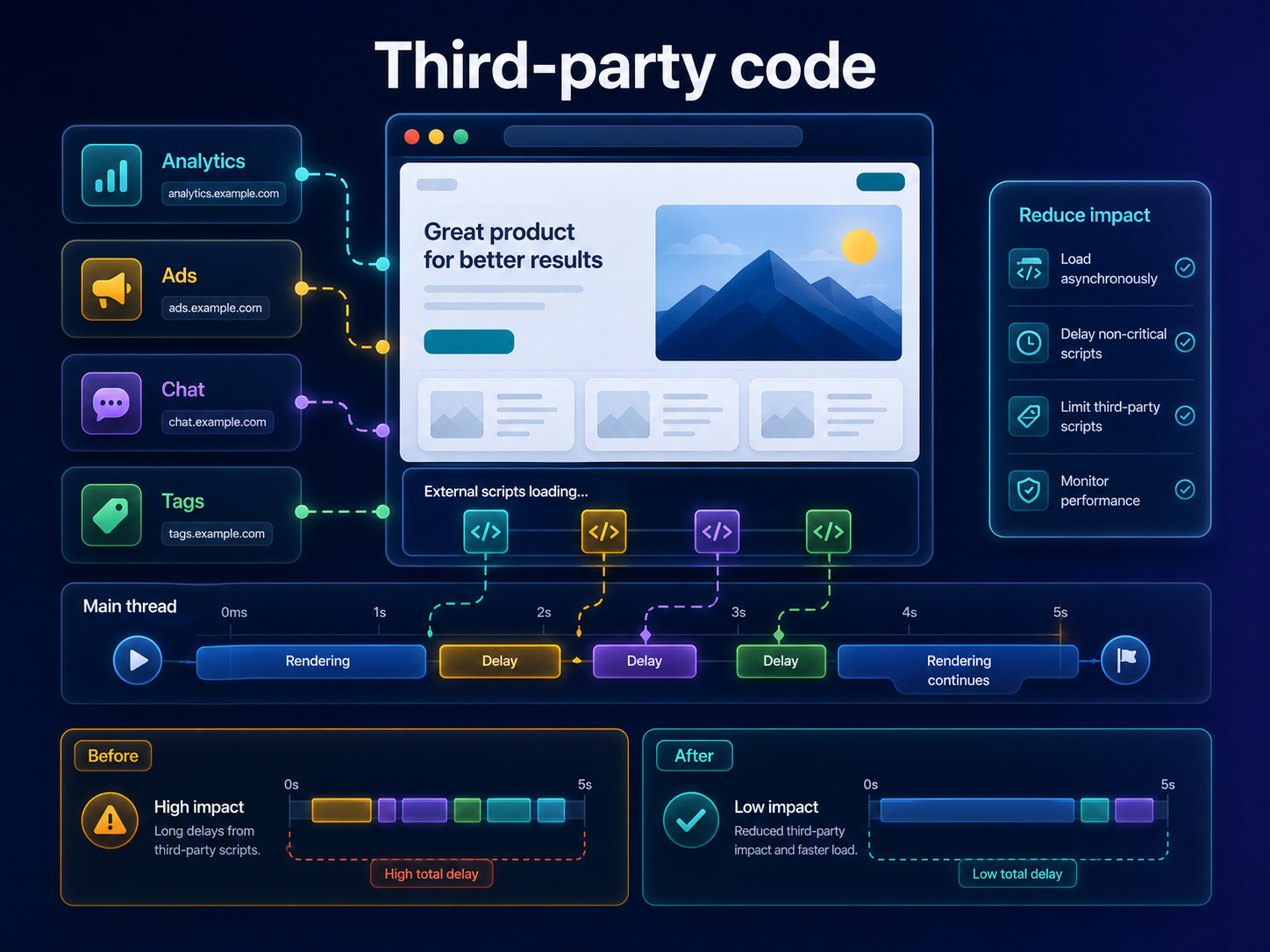
Short answer
Third-party code can add network requests, JavaScript execution and main-thread blocking. Not all third-party code is bad, but every tag should justify its cost and load at the right time. ViewMend helps surface third-party impact beside JavaScript and responsiveness findings.
Why this matters
Analytics, ads and widgets can be business-critical, but loading them too early can delay rendering and responsiveness.
External scripts or embeds are adding performance cost outside your own application code.
Run a public page check, review the evidence, see whether the issue is prioritized, and use ViewMend AI only when you need an explanation, developer task or AI Fix Plan.
Run a new report and compare JavaScript, TBT and third-party findings. Confirm tracking or widgets still work where required.
Common causes
What to check first
How to fix it
How to verify the fix
Run a new report and compare JavaScript, TBT and third-party findings. Confirm tracking or widgets still work where required.
How it works
Product workflow
ViewMend helps you inspect a real public page, compare mobile and desktop evidence, and decide whether AI output is worth spending credits on.
Developer task example
Audit all third-party tags, remove unused entries and delay non-critical widgets until consent, interaction or after initial render.
| Problem | External scripts or embeds are adding performance cost outside your own application code. |
|---|---|
| Suggested fix | Audit all third-party tags, remove unused entries and delay non-critical widgets until consent, interaction or after initial render. |
| Acceptance criteria | The next lab retest shows improvement for the affected metric, no critical mobile or desktop behavior is broken, and the page still renders correctly. |
| Retest step | Run a new report and compare JavaScript, TBT and third-party findings. Confirm tracking or widgets still work where required. |
Fix priorities
| What to inspect | Why it matters | Next action |
|---|---|---|
| Tag manager bloat | Old tags can keep running long after they stop being useful. | Audit and remove stale tags. |
| Early chat widgets | Widgets can add heavy scripts before users need them. | Load after interaction or delay. |
| Embeds and ads | They can add layout and main-thread cost. | Reserve space and load with priority controls. |
FAQ
No. The goal is to control cost and timing, not remove business-critical tools blindly.
Chat widgets, ads, tag managers and embeds are common sources, but each site differs.
It depends on business needs and consent requirements. Some tracking can be delayed safely.
Yes. External scripts can add long main-thread tasks.
ViewMend can show third-party impact alongside unused JavaScript and responsiveness findings.