ViewMend Site Tracker helps teams monitor selected URLs after an audit. Users create groups, add only the links they care about, choose check frequency, run manual checks, and review change events in the ViewMend dashboard.
What Site Tracker is
Site Tracker is a ViewMend guide and dashboard workflow for monitoring pages that matter after the first audit. Instead of checking a page once and leaving, the user saves selected URLs into tracking groups and comes back to one place to see whether anything important changed.
ViewMend does not crawl the whole website automatically for this workflow. The user decides which URLs should be watched. That keeps monitoring focused and avoids unnecessary checks for pages that do not matter right now.
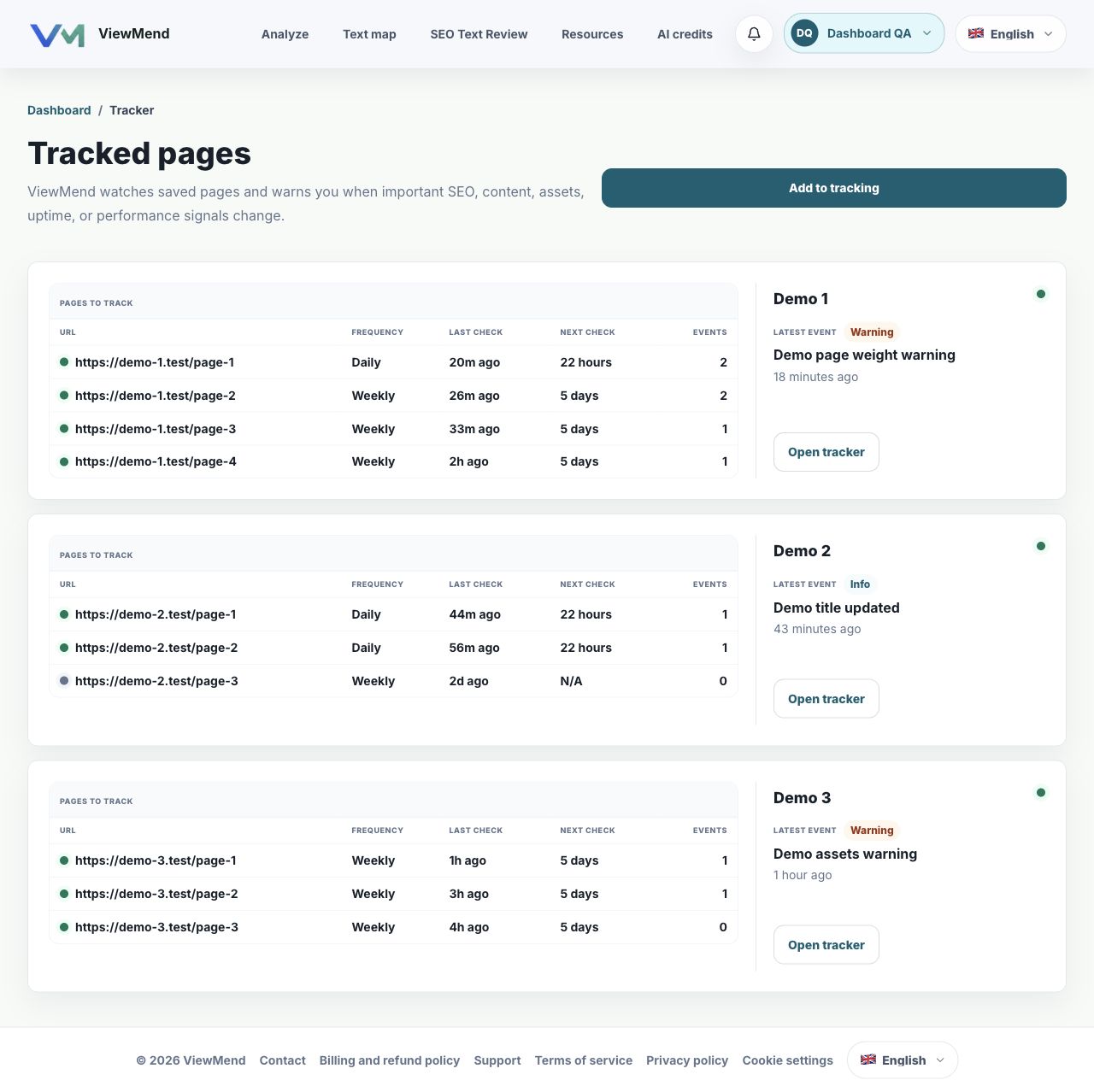
The tracker overview shows monitoring groups, tracked URLs, check frequency, recent events, and quick access to group details.
How tracking groups organize pages
A group can represent a project, a client site, a product area, or a set of landing pages. Inside the group, every URL keeps its own status, frequency, last check, next check, and event count.
This is more useful than a flat list of cards because the user can understand page changes in context. Related pages stay together, and each page still has its own monitoring state.
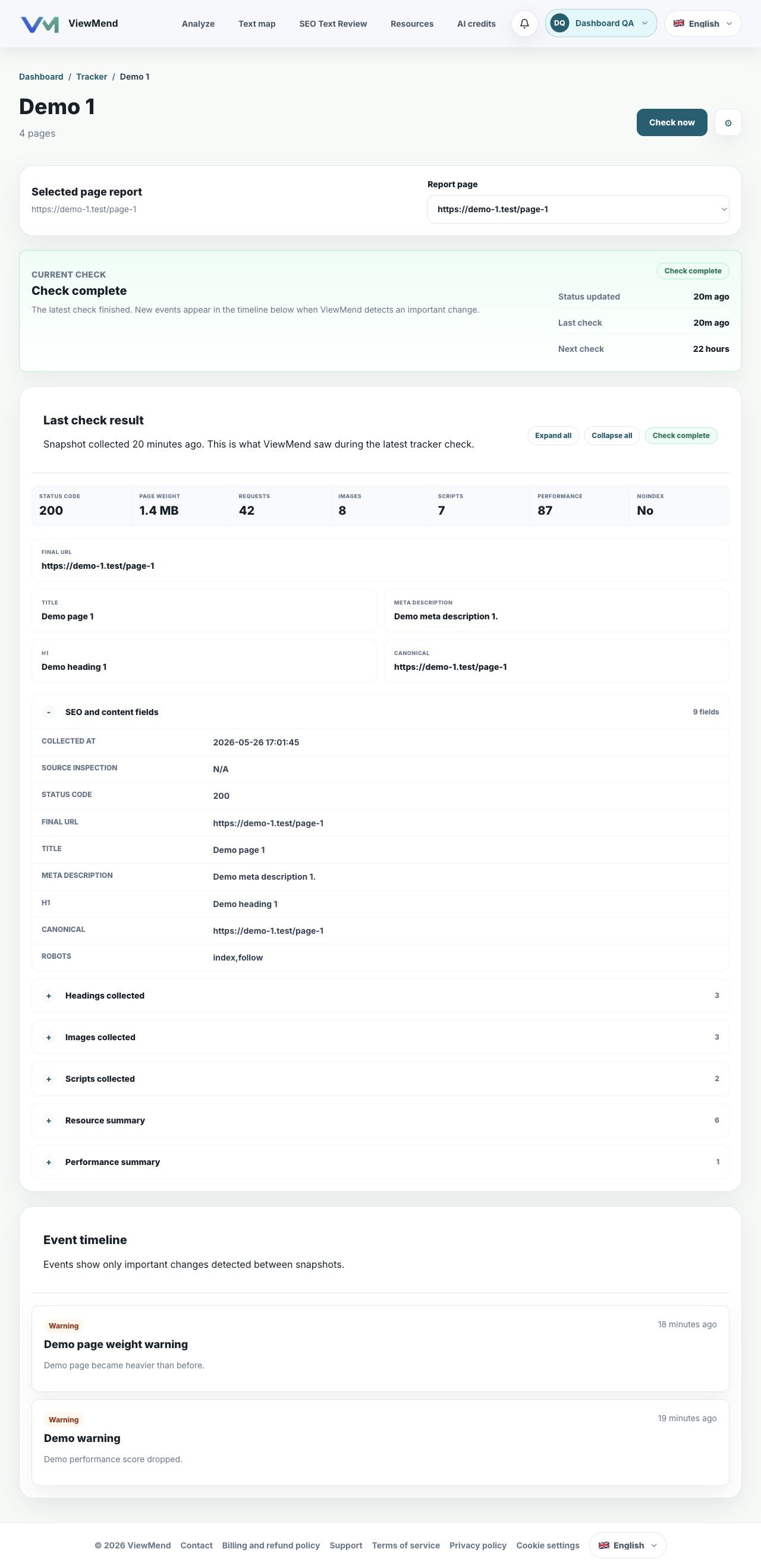
A group detail page lets users choose a tracked URL and review the latest check state and result in that group context.
Run checks only for the pages you choose
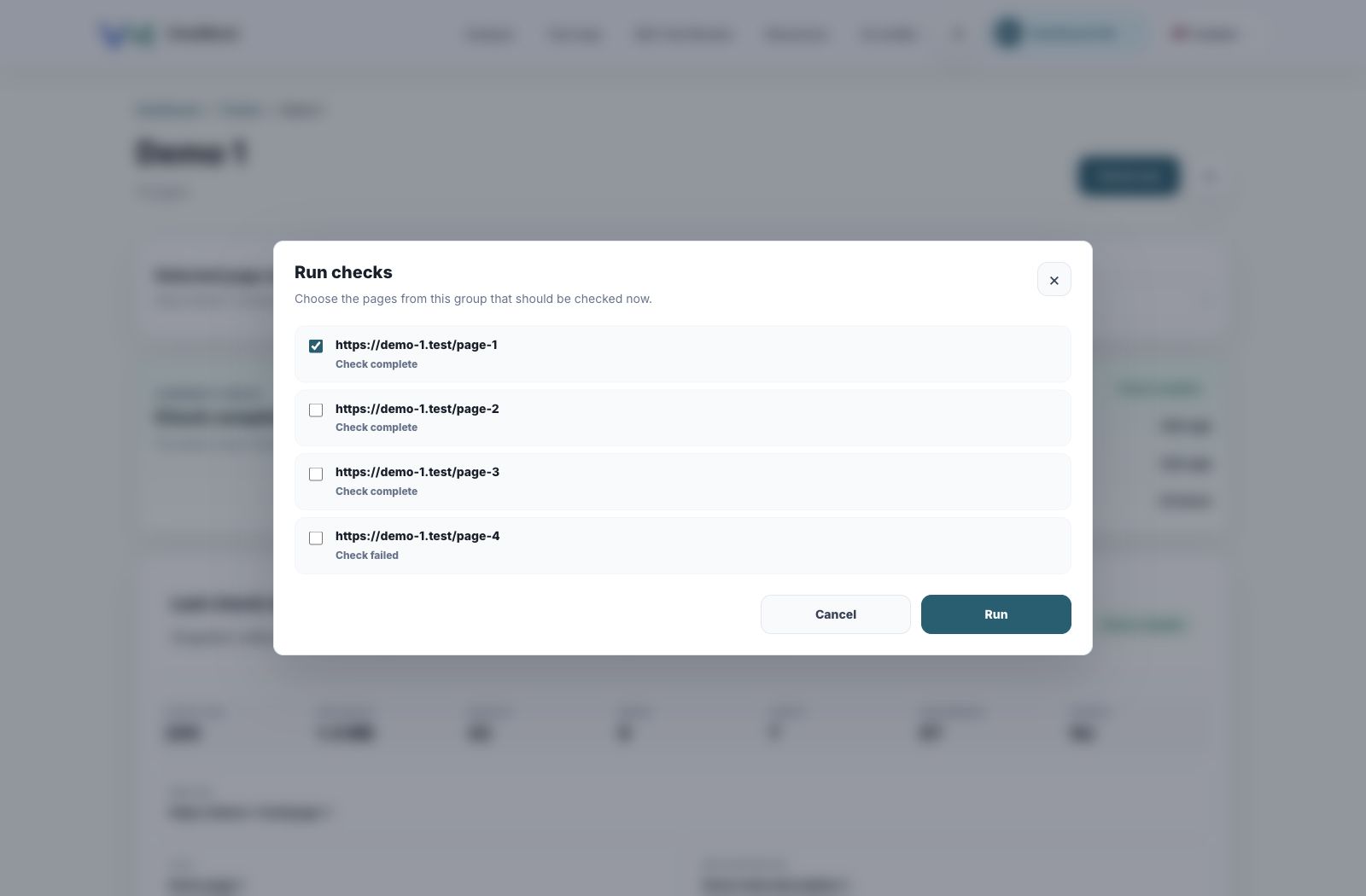
When the user clicks Check now, ViewMend opens a modal with links from the current group. The user can select one page or several pages, then run the check for that selection.
Paused links are visible but cannot be selected. This makes the reason clear: the page is in the group, but it is not active for checks until it is enabled again.
The Run checks modal keeps manual checks deliberate: choose the URLs, then start the run.
Control each URL separately
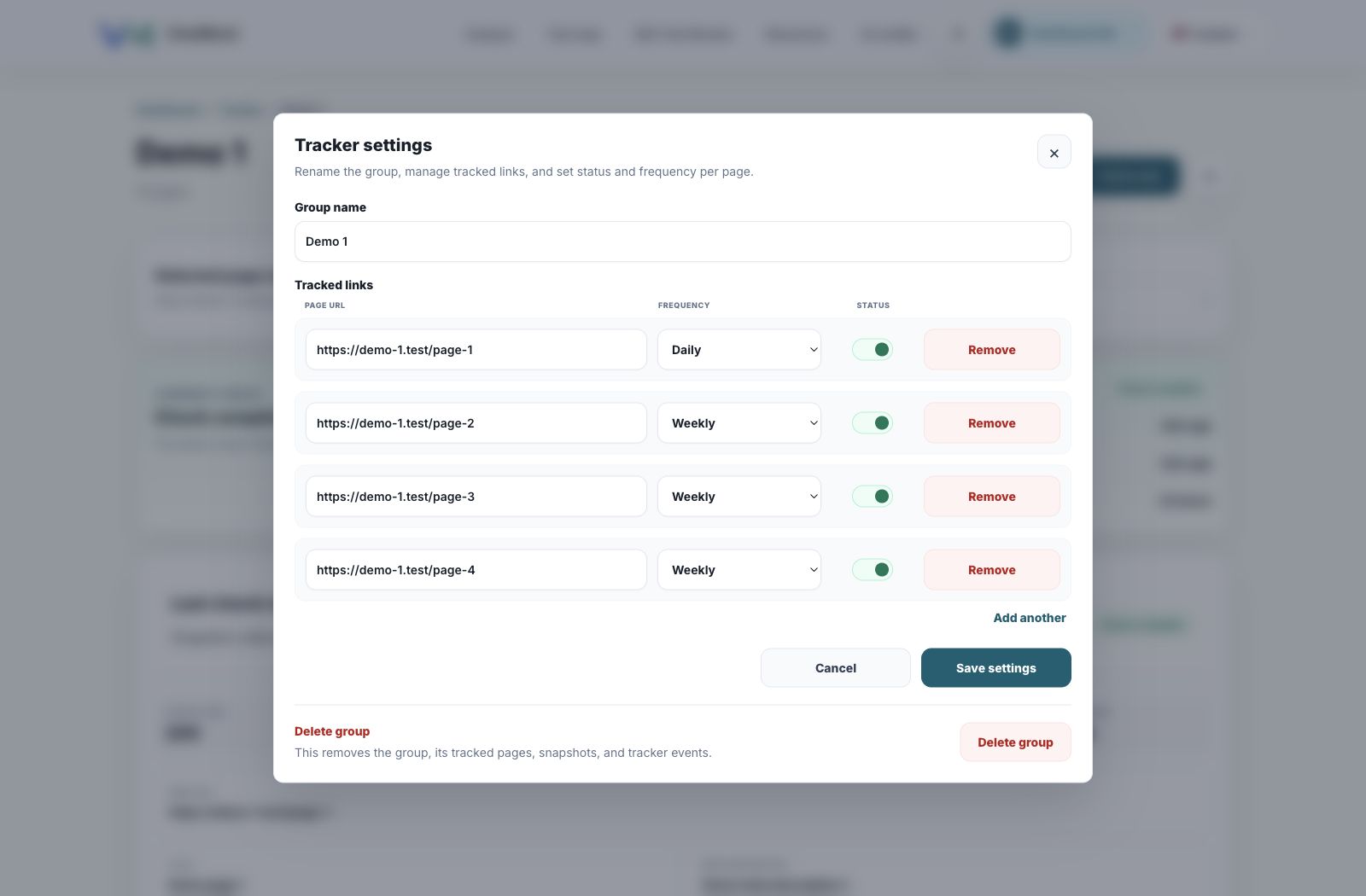
Tracker settings let users rename a group, add or remove links, set the frequency for each page, pause individual URLs, and delete the group when it is no longer needed.
This matters in real work because not every page needs the same schedule. A high-value landing page may need daily checks while a quieter page can stay weekly.
Settings are managed per URL, so a group can contain pages with different frequencies and statuses.
Where check results appear
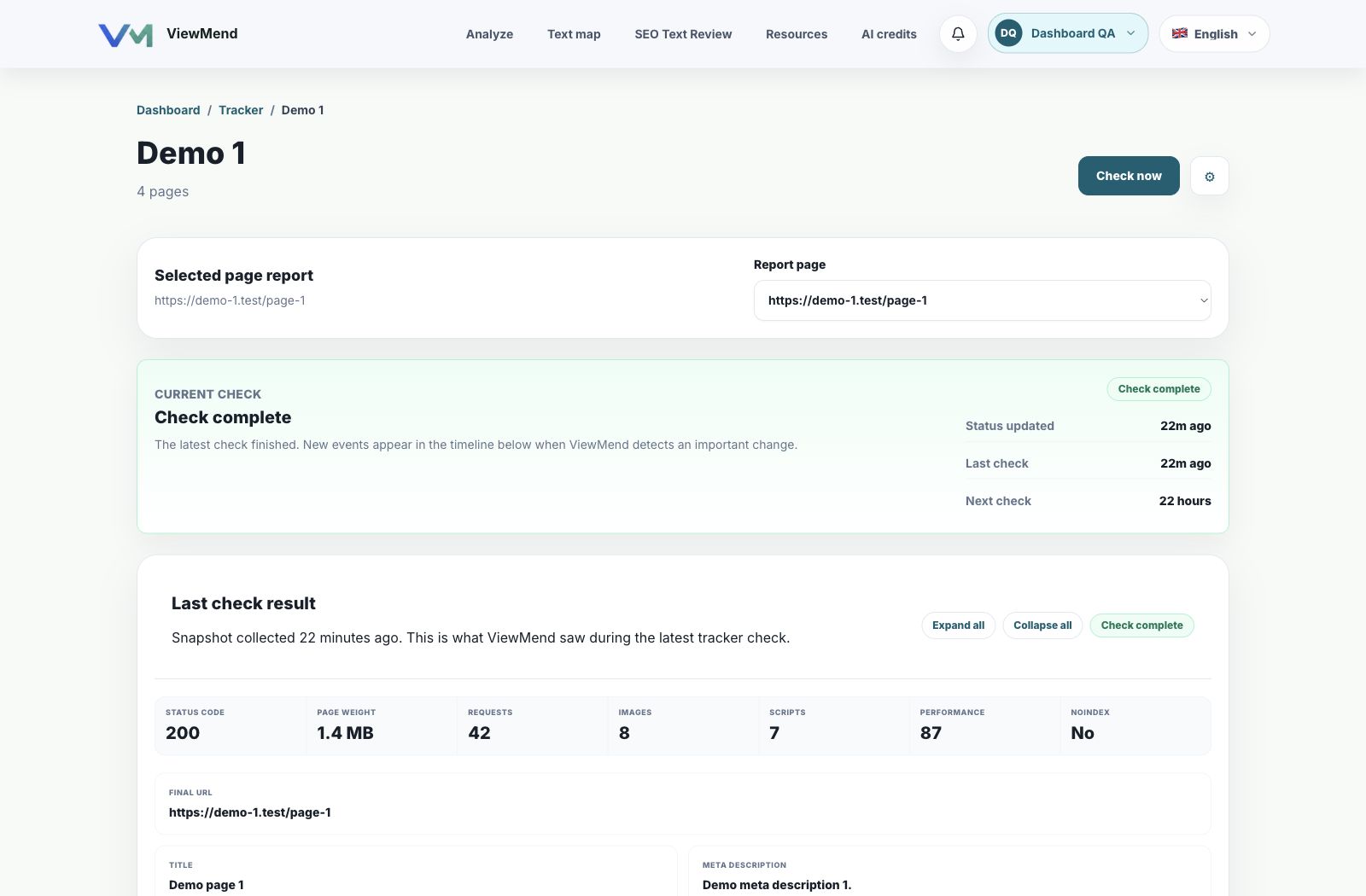
The group detail page shows the current check status, the last check result, and the event timeline. If nothing important changed, that is still useful: the user can see that the page was checked and no important events were detected.
When a meaningful change appears, it becomes an event in the timeline so the team can review it without hunting through raw page data.
The detail page brings status, selected URL, latest result, and event timeline into one workflow.
A one-time audit cannot watch the page after it changes
A website can change after every release, CMS edit, script update, or content change. Site Tracker helps teams notice important page changes sooner instead of discovering them weeks later.
Groups for important URLs
Group key pages by project, website, client, or workflow so monitoring stays organized.
Manual and scheduled checks
Run Check now for selected links or let the configured frequency decide the next scheduled check.
Events in one dashboard
Review status, last check, next check, detected events, and recent results without manually opening every URL.
What Site Tracker can help monitor
The tracker is designed around changes that can affect SEO, content quality, availability, assets, and page health.
Title, meta description, H1, canonical, and indexability signals.
Page status, availability, heavy images, heavy scripts, and page weight.
Recent check results and events that help teams decide what needs attention.
Why the user chooses URLs manually
Site Tracker avoids automatic site-wide crawling in this workflow. The user adds only the pages that need monitoring, which keeps the product focused and avoids unnecessary load.
Track a homepage, landing page, product page, pricing page, or important article.
Keep unrelated pages out of the monitoring group.
Change the list later when the project changes.
How to start monitoring pages
Open ViewMend Tracked pages.
Create a tracking group.
Add one or more URLs that should be monitored.
Set frequency and status for each URL.
Open the group and use Check now when you need a manual run.
Review latest results and events in the tracker timeline.
Move from one-time audits to ongoing page control
Start with a ViewMend audit, then keep the important URLs under monitoring so changes are easier to notice after releases and content updates.
Important SEO or content fields can change during deployment.
Run Check now for the URLs affected by the release.
Landing page monitoring
High-value pages need stable titles, headings, content, assets, and availability.
Group landing pages and set the right frequency per URL.
Client reporting
Agencies need a clear place to show what changed and what stayed stable.
Create a group per client or project.
Content updates
CMS edits can change headings, copy, metadata, or resource weight.
Check selected URLs after content changes.
Preguntas frecuentes
Does Site Tracker automatically crawl and add pages?
No. The user adds the URLs that should be monitored. Site Tracker does not add random pages from the website automatically.
Can one group contain several pages?
Yes. A group can contain one URL or multiple related URLs, depending on the project.
Can I run a check for only one page?
Yes. Check now opens a selection modal, so the user can choose one or more pages from the current group.
Can I pause one URL without deleting it?
Yes. Each tracked URL has its own status, so it can be paused and enabled again later.
Why is this useful after an SEO audit?
An audit shows the current state. Site Tracker helps detect what changes after that audit.
Usamos cookies
Usamos cookies necesarias para que ViewMend funcione. Con tu permiso, también usamos cookies de analítica para entender cómo se usa el sitio y mejorar el producto.
Preferencias de cookies
Elige si ViewMend puede usar cookies opcionales de analítica. Las cookies necesarias permanecen activas porque el sitio las necesita para funcionar.
Cookies necesarias
Necesarias para la funcionalidad principal, seguridad, sesiones de inicio, pagos y flujos de escaneo/informes.