
Editable page text
Start with main content, first-screen text, headings, FAQ answers, and other copy that usually matters for content work.
A page text audit starts with a clean inventory: what text exists on the page, where it appears, and which element it belongs to.
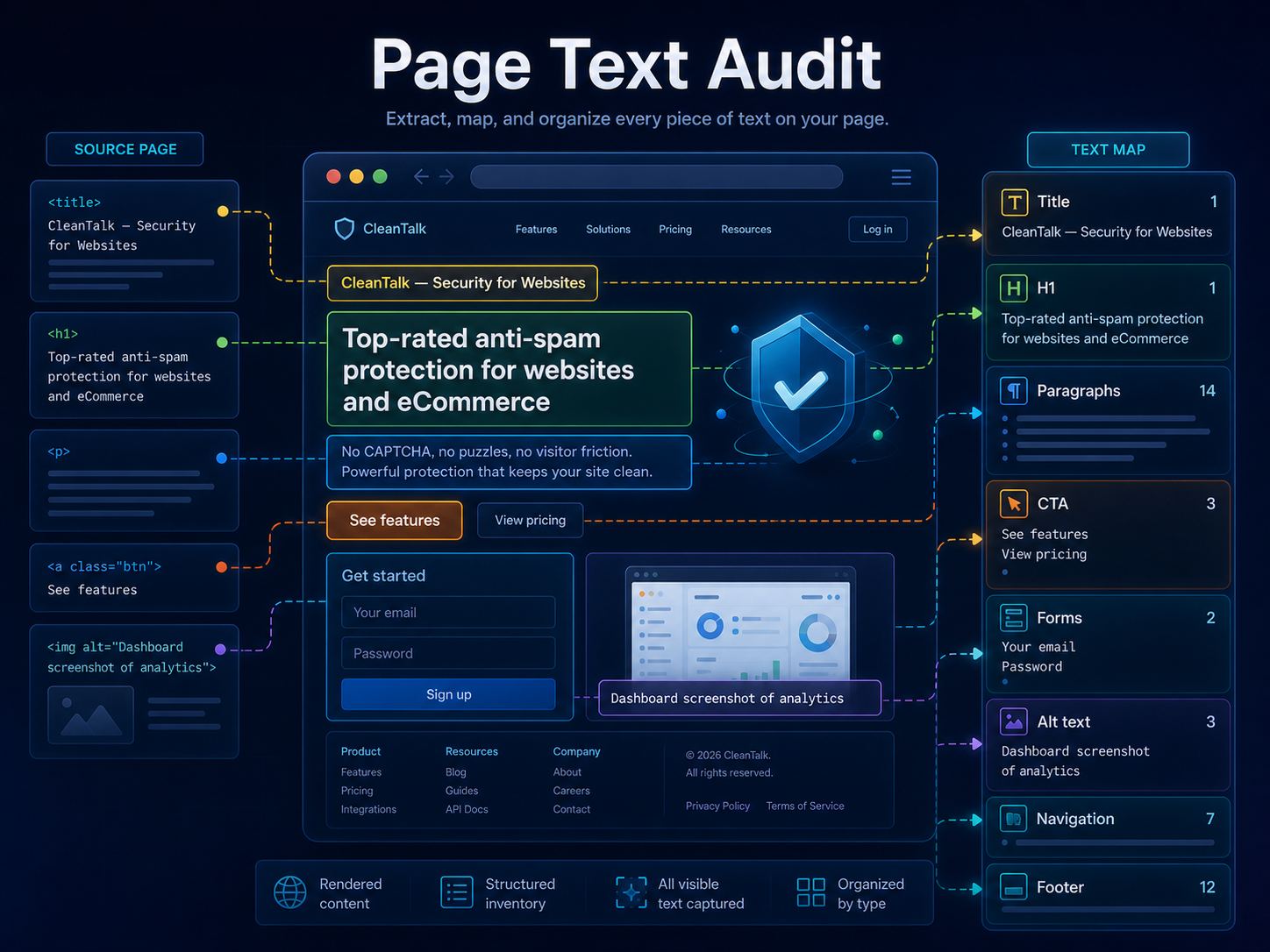
A text map is the first step before improving website copy. It separates main content, headings, buttons, forms, links, image alt text, and utility areas so teams can see the real text users encounter.
Modern pages mix hero text, navigation, buttons, forms, repeated links, footer text, cookie banners, and rendered application content. A text map turns that mixed page text into a useful inventory before editing or AI suggestions.
Start with main content, first-screen text, headings, FAQ answers, and other copy that usually matters for content work.
See whether text came from a heading, paragraph, button, form field, link, table, list, image alt text, navigation, or footer.
Keep menus, login links, footer links, language switchers, and other utility text separate from the content users came to read.
A useful audit starts with the rendered page, not only raw HTML. The inventory should include the visible text after the browser has loaded the page.
AI suggestions work better when they receive clean, editable text blocks instead of a mixed dump of navigation, forms, code snippets, and footer text.
Use ViewMend Page Text Map to inspect the real text on a rendered page and keep editable content separate from navigation and utility text.
| Area | Why it matters | What to inspect |
|---|---|---|
| Main content | This is usually the most valuable editable copy. | Check body text, product descriptions, article copy, and FAQ answers. |
| Headings | Headings show the page structure users scan first. | Review H1, H2, and H3 text in page order. |
| Buttons and forms | Action text tells users what they can do next. | Collect button labels, submit text, labels, and placeholders. |
| Utility text | Navigation and footer text can create noise. | Keep menus, login links, language switchers, and footer links separate. |
No. A page text audit focuses on the text inventory and where text appears. SEO audits usually focus on ranking signals, technical issues, and search visibility.
Yes, if the text is collected after browser rendering instead of only from the initial server HTML.
Not first. The safer workflow is to build the text map, choose the useful editable groups, and then request suggestions for those groups.
Menus, account links, legal links, and repeated footer text can drown out the content that actually needs copy work.